Best trading journal for the way you trade: stocks, forex, futures and crypto
The best trading journal matches the markets you trade, how your trades get into it, and how you review them. Astro Trading Journal records forex in lots, stocks in shares, futures in contracts with a point value and crypto in fractional units, so each trade's profit and loss (P&L) is worked out the way that market sizes positions. It can also sync trades from your broker or exchange and break your results down by setup, symbol and playbook.
Sizing that fits stocks, forex, futures and crypto
Astro records each trade in that market's own size unit, such as lots, shares or contracts. A journal built around stocks treats every forex or futures position as a number of shares, which gives the wrong P&L on those markets.
| Asset class | How a trade is sized |
|---|---|
| Forex | In lots, with the contract size the symbol uses |
| Stocks | In shares |
| Futures | In contracts, each with a point value |
| Crypto | In units, fractional sizes included |
| Stock and futures CFDs | By contract size |
A point value is what one full point of price movement is worth on one contract.
Each trade keeps its own currency, so a forex position, an index future and a crypto position can sit in one journal with each result in the currency it settled in, and the totals roll up in one reporting currency.
Broker sync or manual entry: how trades get in
Connect a broker or exchange and your trades sync into Astro without you retyping them.
Which platforms connect, and where
- MetaTrader 5 connects on iPhone and on the web.
- TradeLocker connects on iPhone and on the web, and one TradeLocker login can bring in several trading accounts, handy if you hold more than one prop-firm account.
- Binance (spot and futures), Coinbase, Kraken, Bybit, OKX, BingX and Robinhood Crypto connect in the iPhone app, and their trades show on the web too.
- Interactive Brokers is coming soon.
Exchanges connect with read-only API keys.
Manual entry is always there for anything that does not sync, and a trade typed in by hand is recorded with the same sizing and shows up in the same analytics as one that synced.
Reviewing your results by setup, symbol and playbook
Astro's analytics break your results down by symbol, asset class, direction, setup and playbook. A setup is the pattern or reason you tagged on a trade when you took it, and a playbook is a named group of setups that can be compared side by side. The breakdowns show you whether a setup actually makes money and which markets cost you, and they keep longs and shorts separate.
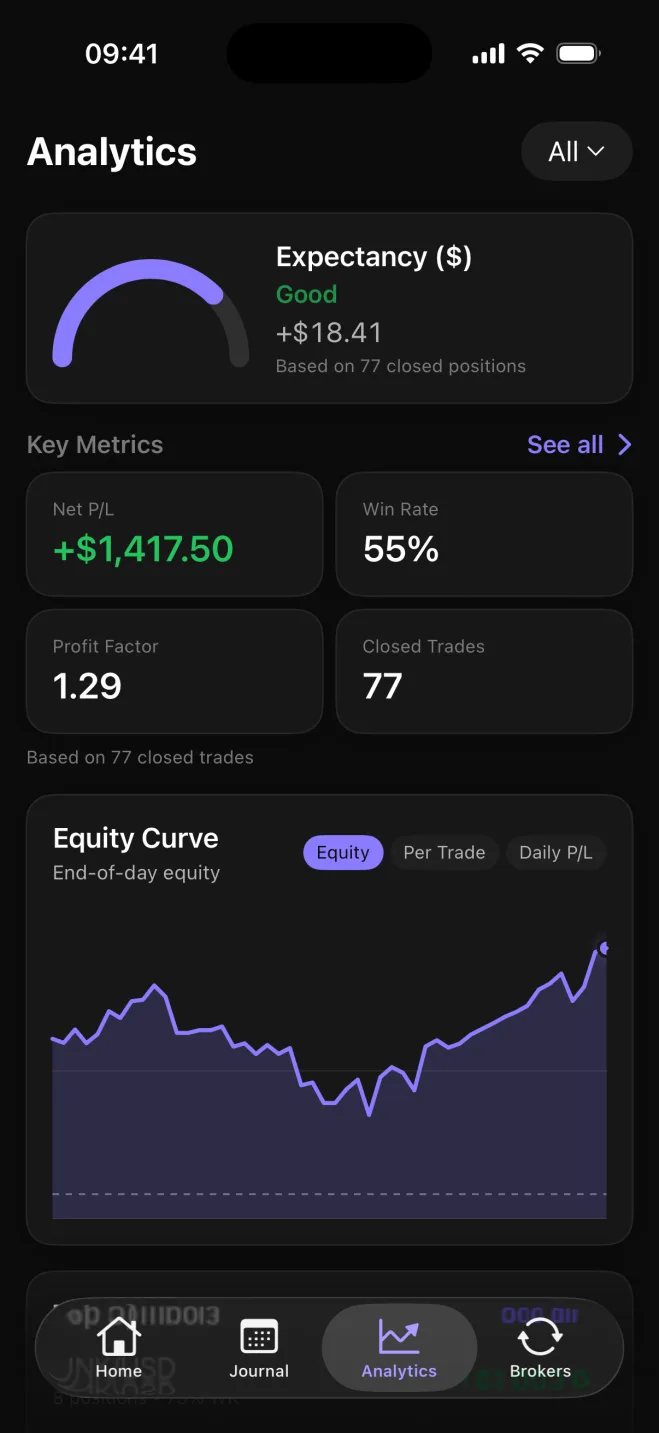
The analytics show net and gross P&L, win rate and average win against average loss, plus drawdown once a starting balance is set.1
An AI Review puts your recent trading into a short write-up. A Performance Review reads your last 20 closed trades, and a Behavior Review reads your last 10 reflections. A reflection is a short note on a trade where you pick what drove it from 18 influences, such as following your plan, FOMO, rushing or staying calm. Each review suggests one small experiment to try next and the metric to watch.
Astro is free on iPhone and the web, with no trade cap
The free plan covers manual entry, analytics, setups and playbooks, trade reflections, Daily Rewind and notes, on iPhone and on the web. Every account gets one AI Review free. There is no cap on how many trades you log and no time limit.
Daily Rewind is an end-of-day check-in: you go through the day's closed trades that have no reflection yet, rate how closely you followed your plan from 1 (off plan) to 5 (fully followed) and mark each of your own rules as followed, partly followed or broken. Notes is a writing space in the journal, separate from the trade log. You can write a weekly review or your market prep there, with headings and lists, and add images.
Premium adds broker and exchange sync and unlimited AI Reviews. The yearly plan includes a 7-day free trial.
One account works on the iPhone app and the full web app. A trade, note or reflection added on one shows up on the other, and both calculate the metrics by the same rules.2
Sources
- 1.Investopedia, “Drawdown definition,” investopedia.com
- 2.Apple App Store, “Trading Journal: Astro Trade on the App Store,” apps.apple.com