The trading journal, feature by feature.
One simple journal: connect a broker, log your trades, and review what is actually driving your results.
Automatic broker sync
Keep the journal current without exporting CSVs and cleaning them up by hand.
Connect a broker once and your fills flow into the journal on their own. Entry, exit, size, and fees arrive already filled in, so the journal reflects what you actually traded instead of what you remembered to type.
You can log every trade manually without connecting a broker. Broker sync saves you typing.
- MetaTrader 5 and TradeLocker connect today, with more brokers being added
- Fills arrive with entry, exit, size, and fees in place
- Manual entry works any time, broker or not
Performance analytics
Numbers that help you evaluate your trading in plain terms.
Astro turns your closed trades into a clear read on performance: profit and loss, win rate, and how your average winner compares to your average loser. The point is to see whether what you are doing is working, in plain terms.
When you want to go deeper, break results down by symbol, asset class, direction, and setup to see where you make or lose money.
- Net and gross P&L, win rate, and average win versus average loss
- Break results down by symbol, asset class, direction, and setup
- Account level metrics like drawdown once you set a starting balance
Written reviews of your trading
A short written read on your recent trading, once there is enough to learn from.
After you have logged enough trades for there to be a pattern, Astro writes a review of what changed and what kept repeating. It reads like a note from someone who looked at your numbers.
The goal is one or two concrete things to adjust, surfaced from your own history, rather than a wall of charts you have to interpret yourself.
- A written summary once you have enough trades to learn from
- Calls out setups that are working and ones that keep losing
- Points to a change or two, kept short on purpose
Playbooks and setups
Name the setups you trade, then see which ones actually carry your account.
Define the setups you trade and tag each trade to the playbook it belongs to. Over time that turns a pile of trades into a record of which ideas you keep coming back to.
Compare playbooks side by side to see which ones are working, which are slipping, and which you should probably stop taking.
- Define the setups you actually trade
- Tag each trade to its setup and playbook
- Compare playbooks to see which ones are working
One journal, web and iOS.
The same journal runs in the browser and on iPhone. Log a trade on the desk, review it later from the couch, and find everything in the same place either way.
See the iOS app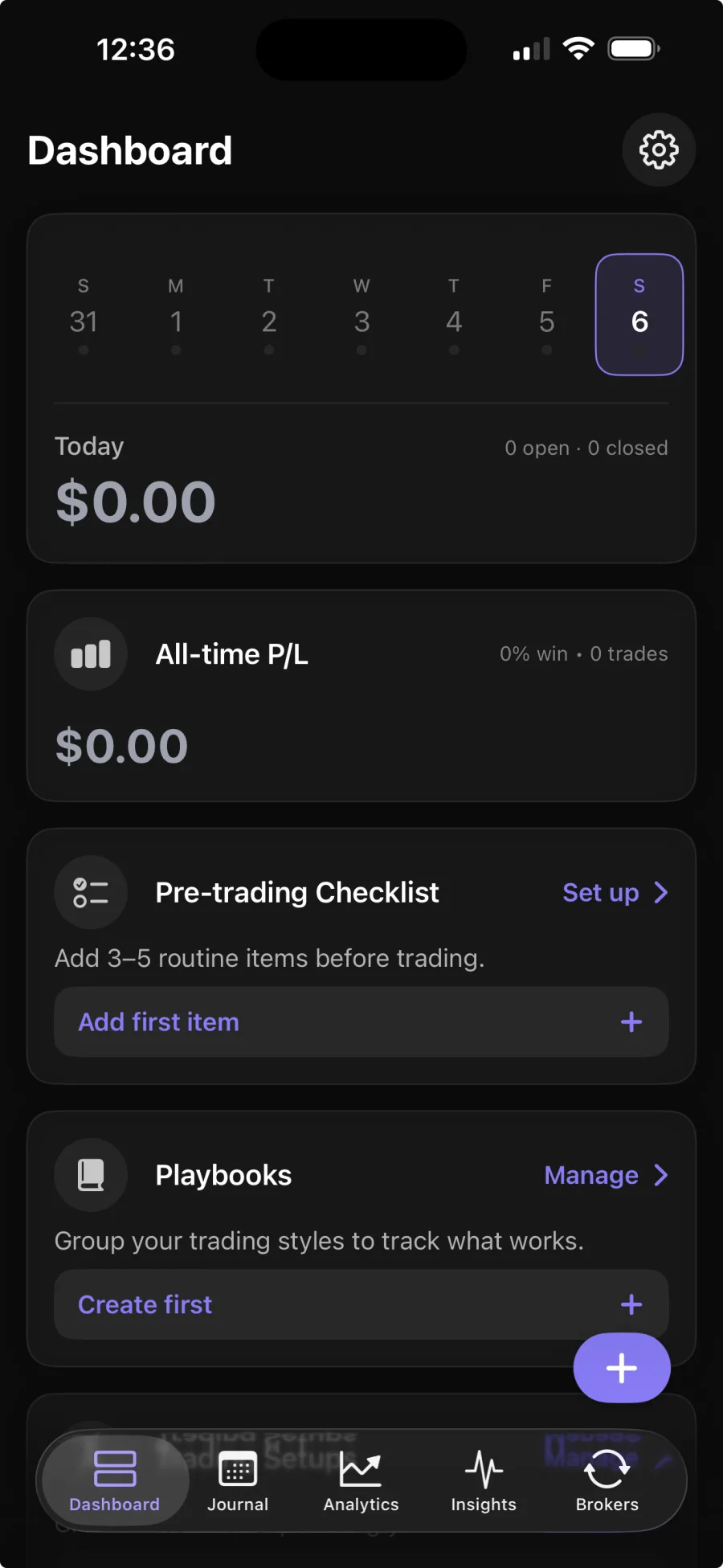
Built for the markets you trade.
Log trades in the right units for each market.
Prop Firm Journal for MT5 and TradeLocker Trades
Prop firm journal for MT5 and TradeLocker trades, with reflections and Daily Rewind to record how closely you followed your own trading rules.
PnL tracker for trading profit and loss
PnL tracker for recording trades and reviewing net and gross P&L, asset-aware sizing, and breakdowns across forex, stocks, crypto, and futures.
Trade tracker app for iPhone and web
Astro Trading Journal is a trade tracker app for recording market trades, seeing P&L, and reviewing setups on iPhone and the web.
Free trading journal app with no trade cap or trial expiry
Free trading journal app from Astro Trading Journal includes manual trade entry, analytics, playbooks, reflections and notes with no trade cap or trial expiry.
Trading journal software for web and iPhone
Trading journal software for recording trades, syncing brokers and reviewing analytics on iPhone and the web. Astro keeps the workflow in one journal.
MT5 Trading Journal With Automatic MetaTrader 5 Sync
MT5 trading journal sync in Astro brings MetaTrader 5 trades into your journal automatically, with P&L, win rate, drawdown and breakdowns on iPhone and the web.
Forex trading journal
A forex trading journal that records trades in lots, syncs from MetaTrader 5 and TradeLocker (Interactive Brokers coming soon), then breaks performance down by pair, setup, and direction.
Futures trading journal
A futures trading journal that understands contracts instead of treating them like stocks. Sync from your broker and review P&L by contract, setup, and direction.
Crypto trading journal
A crypto trading journal that syncs straight from your exchange. Connect Coinbase, Kraken, Binance, and more, then review your trades by coin, setup, and direction.
Stock trading journal
A stock trading journal that records trades in shares, with Interactive Brokers sync coming soon, and helps you review setups, direction, and what actually repeats.
Prop Firm Trading Journal: Review Trades and Drawdown
Use Astro as a prop firm trading journal to review trades, drawdown and setups from an evaluation or funded account. Manual entry is free, and Premium adds broker sync.
Common questions.
Which brokers does Astro sync with?
MetaTrader 5 and TradeLocker connect today, and more brokers are being added. If your broker is not supported yet, you can still add trades manually. The supported brokers page lists the current connections.
Do I have to connect a broker to use Astro?
No. You can log and review trades manually from day one. Broker sync is there to save you the export and cleanup work when you decide you want it.
Does Astro work on iPhone?
Yes. The same journal runs on the web and on iOS, so trades and reviews you add in one place show up in the other.
How do AI reviews work?
A Performance Review analyzes your last 20 closed trades, and a Behavior Review analyzes your last 10 trade reflections. Every account gets one free review, and Premium makes them unlimited.