MT5 Trading Journal With Automatic MetaTrader 5 Sync
Astro Trading Journal is an MT5 trading journal that connects to your MetaTrader 5 account so trades sync into the journal on their own. You can review them on iPhone or the web without saving a history report or typing each trade into a sheet.
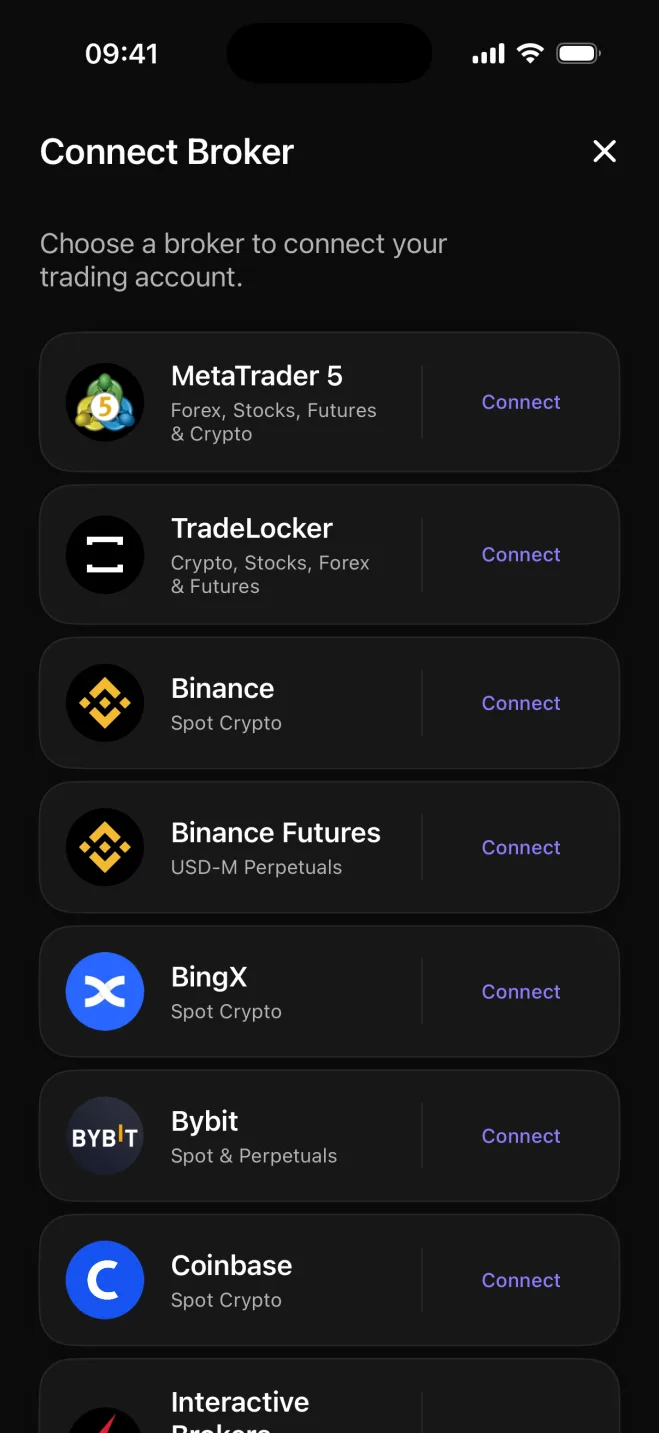
How MetaTrader 5 trades get into Astro
MetaTrader 5 keeps an account trading history and lets you save a report as a file for external analysis.1
With Astro, you choose MetaTrader 5 from the Connect Broker list and connect your account. After that, trades appear in the journal automatically, so there is no history report to export or spreadsheet to fill in.
Astro journals and reviews the trades you already placed through your broker.
What the synced trades show
Once the trades are in Astro, analytics show net and gross profit and loss (P&L), win rate, average win versus average loss, and drawdown once you set a starting balance.
- Symbol: compare the results of the pairs or instruments you trade.
- Direction: compare long trades with short trades.
- Setup: tag the setup used on each trade and compare the results for each setup.
These breakdowns let you review your MT5 history by market, direction and setup instead of treating it as one long list.
Review the same journal on iPhone and the web
You can connect MetaTrader 5 from the iPhone app or from Astro in the browser. Both use the same Astro account, so a trade, note or reflection added on one shows on the other.
The iPhone and web apps calculate metrics by the same rules, so the figures in your journal match whether you open it on your phone or on a larger screen.
The journal is free, while MT5 sync is Premium
Astro's free plan includes the full journal with no trade cap. It includes manual trade entry, analytics, setups and playbooks, trade reflections, Daily Rewind and notes on iPhone and the web.
The free journal works without broker sync, which you can add later with Premium. Premium includes broker and exchange sync, including MetaTrader 5, as well as unlimited AI Reviews.
Sources
- 1.MetaTrader 5, “Executing Trades - Trading Operations - MetaTrader 5 Help,” metatrader5.com